
Your footage already has a story.
Cutwright finds it: a script, a first cut on the beat, captions in any language. Then it hands you a real timeline to make it yours.
Get it on the Mac App StoreFree to start. Requires a Mac with Apple silicon and macOS 26 or later.
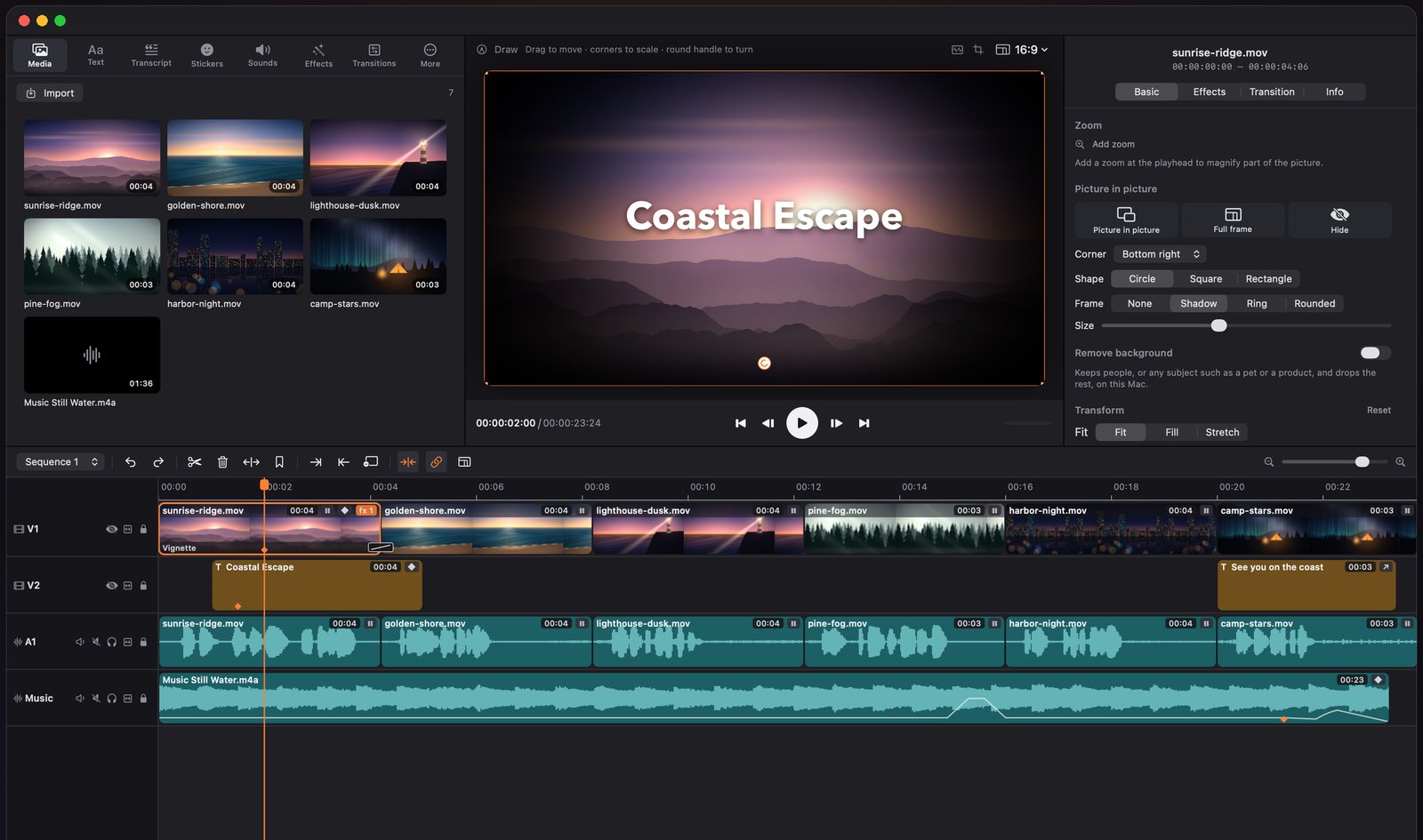
From footage to first cut
Plan mode reads your clips and transcripts, drafts scenes, and lays them on the timeline. Or start from a short brief.
A real timeline
Multitrack with ripple, roll, slip, and slide, multicam, keyframes, masks, tracking, and edit by transcript.
Every language
Speech becomes captions on your Mac. Word-by-word styles, translation that keeps the timing, and .srt export.
Finished sound
Royalty-free music made on your Mac, ducking under voice, speech cleanup, crossfades, and voiceover from text.
Looks that pop
Color grading with scopes, green screen, background removal, motion effects, titles, and stickers.
Record, then edit
Screen and camera recordings land on the timeline with zooms on clicks, spotlight, and keystroke captions.
An AI editor at your side
Ask the built-in agent for an edit, or connect Claude Code, Codex, or Cursor over MCP. Every change is one undo away.
Your Mac, your keys
Analysis and transcription run on device. Bring your own AI provider or a local model. No account, no ads, no tracking.
Ready for anywhere
Presets for 1080p and 4K, vertical and square video, GIFs, and chapters from markers.
Simple plans. No subscription.
Basic
The full editor, effects, templates, export, and on-device AI, plus cloud AI on your first 3 projects.
Pro
Removes the AI limit on every project, for life. Cloud AI providers bill your own API key; Apple Intelligence is free on every plan.